Logo
Menu

Weather Api

Manikandan May 2024

Real-Time Weather API Developed a responsive web application that fetches and displays live weather data using the OpenWeatherMap API. The app provides real-time weather updates based on the user’s current geolocation or a searched city, including details such as temperature, weather conditions, humidity, weather description and wind speed. Technologies Used in HTML, CSS, JavaScript, OpenWeatherMap API Weather Api.
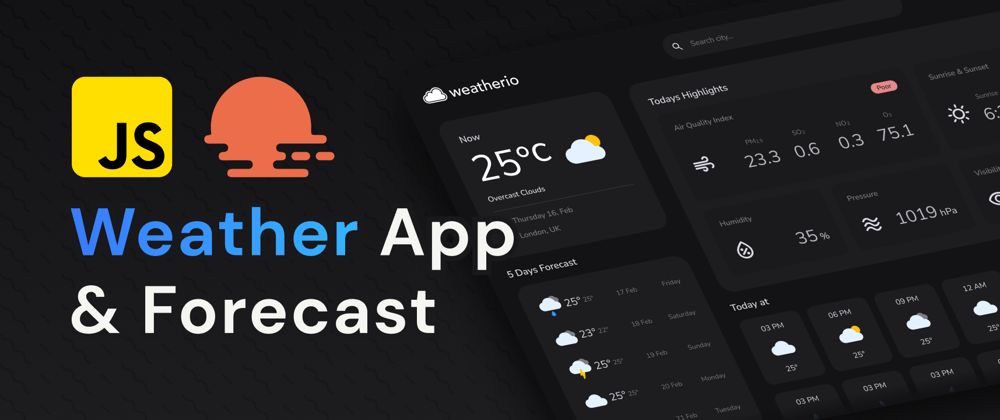
Weather Api by Manikandan

Weather Forecast Api

The Weather Forecast Application is an advanced web-based tool designed to provide real-time weather updates. By integrating the OpenWeatherMap API, the app fetches live weather data to deliver accurate and up-to-date forecasts. Users can easily access weather information based on their current location or search for any city to receive localized reports. Built using modern web technologies such as HTML, CSS, and JavaScript, the application ensures a smooth and responsive user experience across all devices.

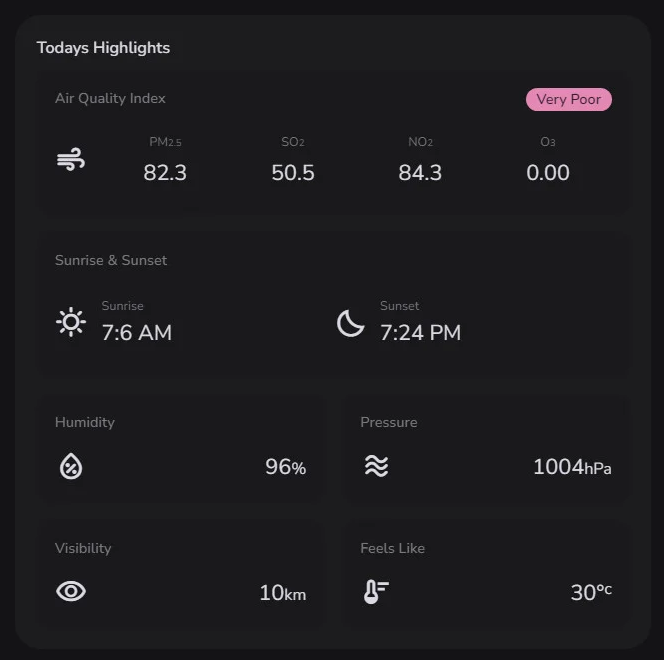
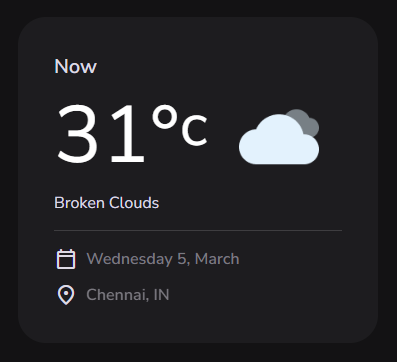
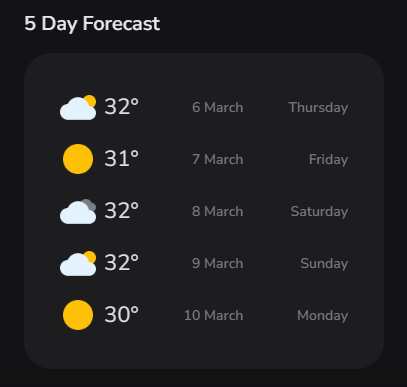
The application utilizes the OpenWeatherMap API to retrieve precise and current weather data. It displays key weather metrics including the user's current location, today's highlights, Air Quality Index, sunrise and sunset times, humidity, pressure, visibility, "feels like" temperature, and a 5-day forecast—offering a comprehensive overview of the weather conditions.

Responsive Design & User-Friendly Interface

  • ✅ Fully Responsive Layout Ensures optimal viewing and interaction experience across all devices—desktops, tablets, and mobile phones.
  • 📱 Mobile-First Approach Designed with mobile users in mind, providing seamless usability on smaller screens before scaling up.
  • 🧩 Adaptive Grid System Flexible layout structure automatically adjusts to different screen resolutions and orientations.
  • 🎯 Intuitive Navigation Clean, well-organized interface elements make it easy for users to find what they need quickly.
  • 🖱️ Touch-Friendly Controls Buttons, menus, and forms are optimized for both touch and click input, enhancing accessibility on all devices.
  • ⚡ Optimized Performance Fast loading times and efficient use of screen real estate improve the overall user experience.
  • 🧠 User-Centered Design Layouts and interactions are crafted based on user behavior, improving engagement and satisfaction.
Geolocation

Geolocation and Location Search Functionality

  • Geolocation API is used to automatically detect the user’s current location, providing instant weather updates for their area.
  • Users can also search for weather information by entering the name of any city or geographical location, enhancing the flexibility of the app.
  • Search results include detailed information about the location's current weather as well as a 7-day forecast.
Weather Information
Weather Information location
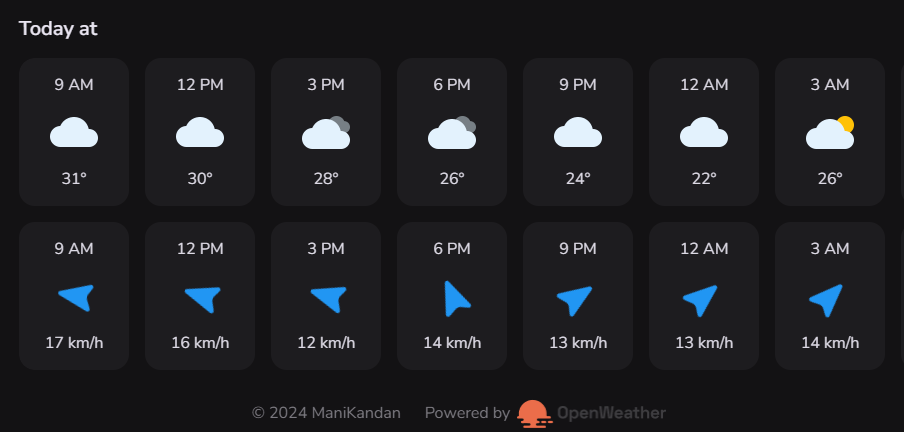
Weather Information today at

Comprehensive Weather Information

  • Current location
  • Today's highlights
  • Air Quality Index
  • Sunrise & Sunset times
  • Humidity
  • Pressure
  • Visibility
  • Feels Like temperature
  • 7-day forecast
7-Day Weather Forecast

7-Day Weather Forecast

Users can view a detailed 7-day weather forecast, which includes information such as daily temperature highs and lows, weather conditions, and precipitation chances.

Forecast data is updated in real-time, offering an up-to-date view of future weather patterns.

Technologies Used
openweather

Technologies Used

  • HTML for creating the basic structure of the app.
  • CSS for styling, creating responsive layouts with media queries.
  • JavaScriptfor dynamic data fetching, interactivity, and seamless updates to the dashboard.
  • OpenWeatherMap API to access live weather data and forecast information.
  • Geolocation API to detect the user's location automatically.
User Experience

User Experience and Interactivity

Real-time updates ensure users are always provided with the most current weather information, making the app useful for both daily and emergency use.

A clean, minimalist design focuses on simplicity and ease of use, providing just the right amount of information without overwhelming the user.

I currently don't have the ability to access external links or view specific websites like GitHub. However, if you'd like, you can provide a brief description of your GitHub project, or share the code here, and I'd be happy to offer feedback or help with any issues you're encountering! GitHub.